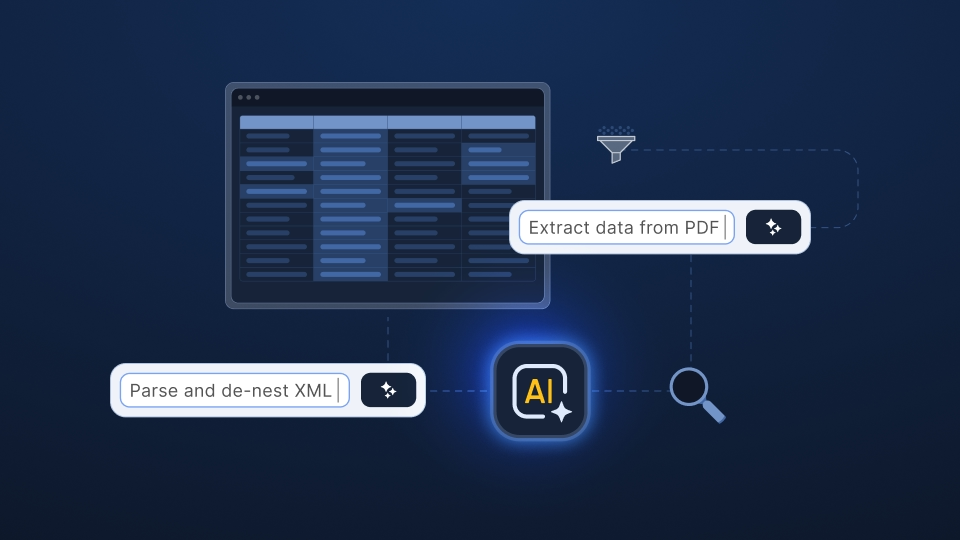
With Ingestro 4.11.0, we’re making it easier to transform complex files into clean, structured data. PDF and XML files now include a dedicated extraction experience. An optional AI agent helps you restructure uploaded data in plain language, and you can connect your own LLM to power every AI feature in Ingestro.
The release also brings smarter handling of ambiguous date formats, versioning for target data models (TDMs) and no-code importers, plus a range of smaller improvements across the Importer and User Platform.
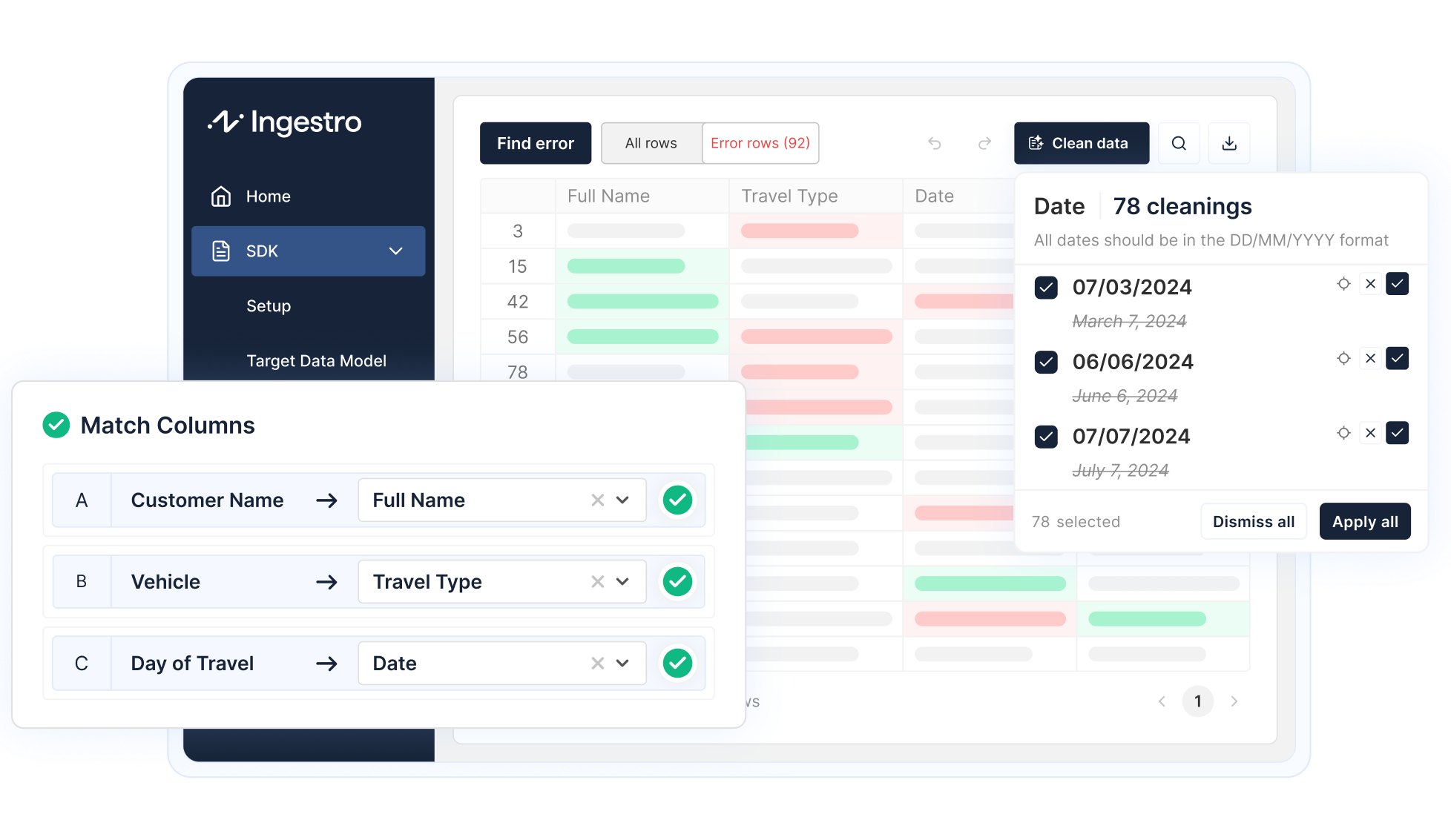
Integrate a self-service data importer into your software to effortlessly clean and import data from any source and format. Your users will thank you for having their data ready in no time.
Explore solutionsWe added a new flow that replaces the header selection and sheet selection steps. The existing flow remains available, so you can choose the option that works best for your importer.
In the new pre-processing step, you can see all your uploaded data and apply multiple restructuring operations, such as nesting, denesting, and joining.
You can do this in two key ways:
The AI feature is optional. Every transformation the agent can execute is also available in the UI, so users can build the same result manually whenever they prefer.
Real-world PDFs rarely contain a single, clean table. They mix tables, headings, notes, and free text, and the information your users need is often spread across all of them. When a user uploads a PDF, Ingestro now parses it first and extracts everything it can find, then guides the user through turning that content into the table structure they need.
For example, the parser can report that a PDF contains three tables at specific locations, plus five lines of metadata, each with its content.
PDF parsing was already possible before, but you can now decide how it runs:
This lets you pick the right trade-off between speed and data privacy for your use case. See our documentation for more information.
The PDF parser no longer returns tables only. It now returns all the content it could extract: tables, lines, metadata, and running text. Every result also includes its location in the document, so users can see exactly where a piece of information comes from inside a built-in PDF previewer.
After uploading a PDF, users now extract the knowledge they need. For this, we built an entirely new interface. It shows all the content found in the PDF and lets users restructure and transform it until it results in at least one 2D table, or several tables if the file requires it.
We also added an optional AI feature to this view. Instead of restructuring the content manually, users can chat with an agent and describe in natural language how they want the data to be transformed.
Extraction happens before the AI-powered pre-processing step described below, so the features work together rather than compete with each other.
For more details, see our documentation.
XML files are nested and can be read in many different ways. Ingestro already supported parsing XML, and with this release, users now have more control over how that data is structured for the next step in their workflow.
After uploading an XML file, users now see an extraction modal in which they define:
Similar to the new PDF extraction, this gives users control over the final structure before the import continues.
You can find more information in our documentation.
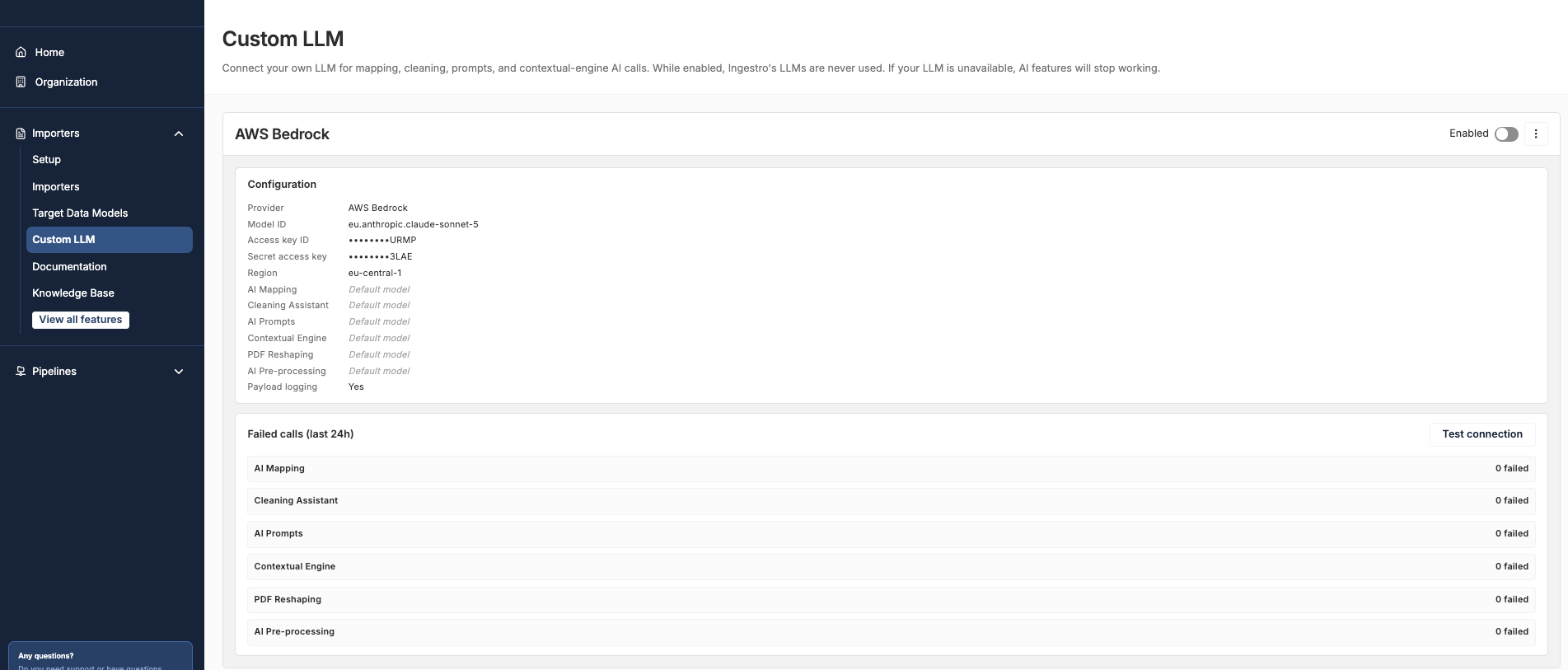
You can now connect your own LLM in the User Platform. Once connected, it's used for all AI services in the Importer SDK and in importers managed in the User Platform, including:
We currently support the following providers:
This gives you control over which provider powers the AI features in your importers.
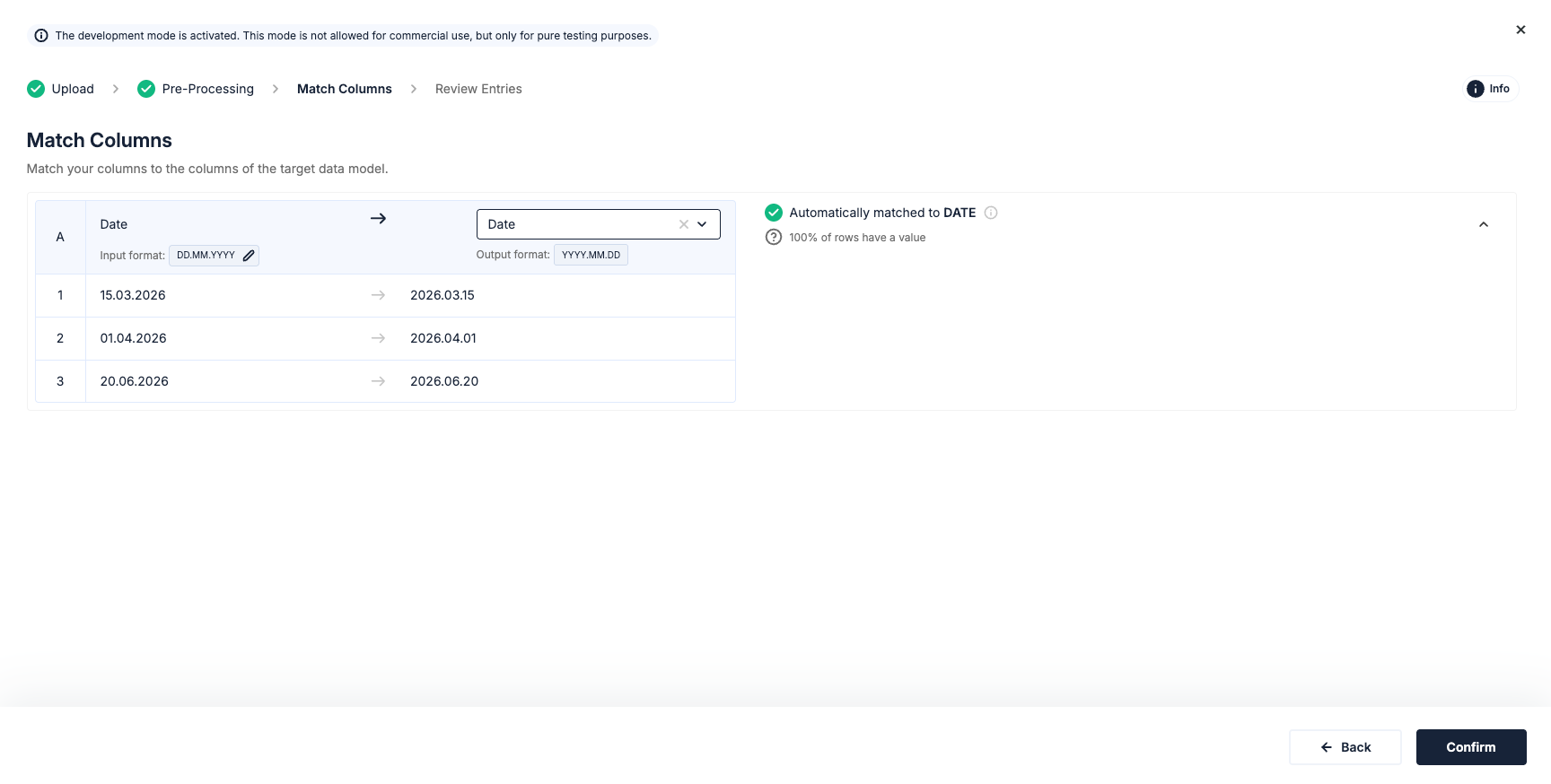
Customers import files with many different date formats, while the date and timestamp columns in their TDM expect a specific output format. Previously, Ingestro tried to detect the input format of a column and converted the values into the TDM format after mapping. If a format could not be detected reliably, we still tried to convert it, which often led to wrong results and broken flows.
We changed this procedure to be fully transparent. In the Mapping step, users now see which date input format we detected for each date column and can adjust it if they want to. If we are not confident about a format, users see this and can simply pick the correct input format themselves.
Please note that we currently assume that all cells within one input column share the same date format.
See our documentation for all the details.
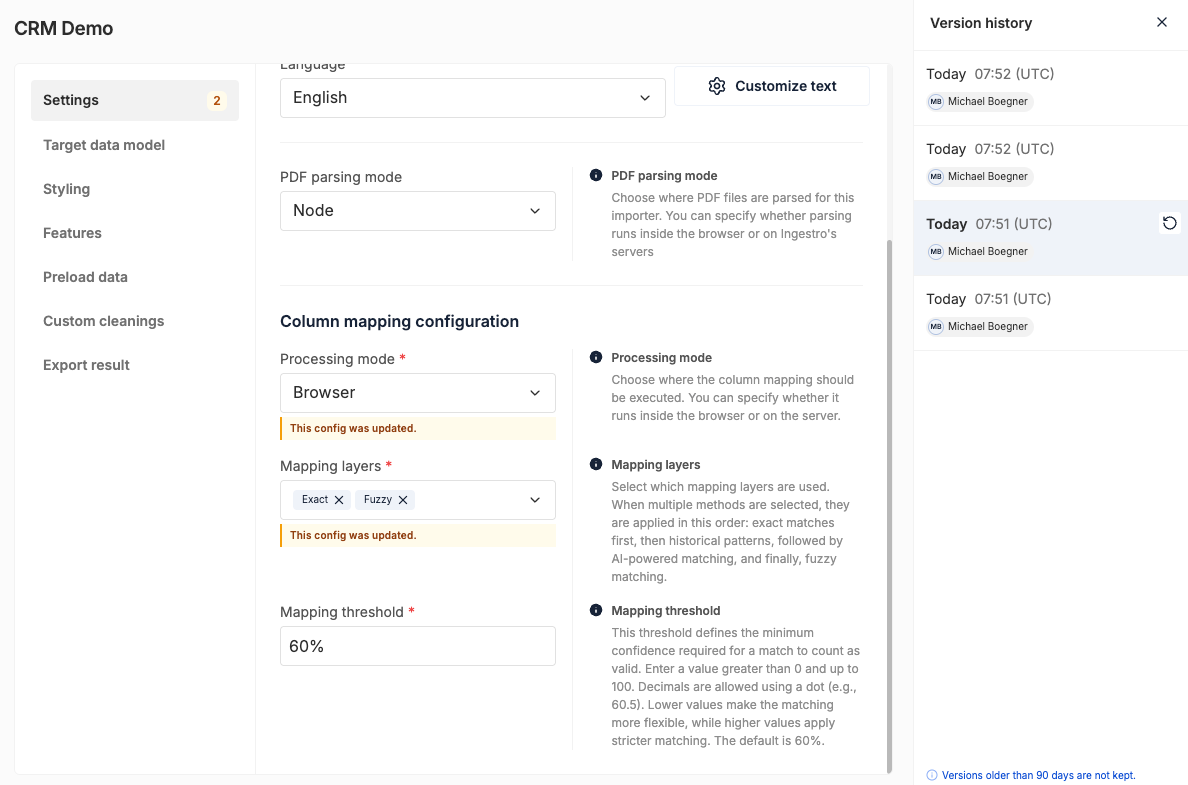
Changes to TDMs and no-code importers now need to be published. When a user adjusts a TDM or importer, the existing version is no longer overwritten. Instead, a new version is created in draft mode and goes live once it is published.
Every published version is tracked in a history, and users can roll back to any previous version. This makes it easy for teams to change a no-code importer or TDM, try it out, and quickly return to a working version if the change does not lead to the desired behavior.
This release also includes several smaller improvements:
skipConfiguration (previously automatic mapping) lets you keep the Mapping step visible while still applying the mappings you saved before. See more in our docs here under requireConfirmation.onEntryChange function, similar to stepHandler.reviewStep and stepHandler.mappingStep. This replaces the workaround of saving the data into state after mapping, which was not best practice and could lead to drift.
Next One Technology streamlines customer onboarding in the construction sector using Ingestro for fast data imports.
Read customer storyThe new User Platform capabilities are now available in your account, with no additional setup required. To access the latest Importer SDK features, simply update to Ingestro Data Importer SDK v4.11.0.
If you'd like to explore how these capabilities can work for your team, feel free to book a demo or contact us at support@ingestro.com.
For the full technical details, please see our official release notes.
See how easily you can turn your customer files into ready-to-use data with Ingestro’s AI agents.




.png)
.png)