Put Agents to Work on Your
Data Operations
Leave templates behind and describe the data format your systems need just once. AI agents build repeatable workflows that automatically map, transform, and validate every new customer file, regardless of source and format.
No layout to review and approve data in
Results can hallucinate and differ from run to run
General LLMs that know nothing about your work
What changed exists only in a chat history
Sensitive data often exposed to an LLM you don’t control
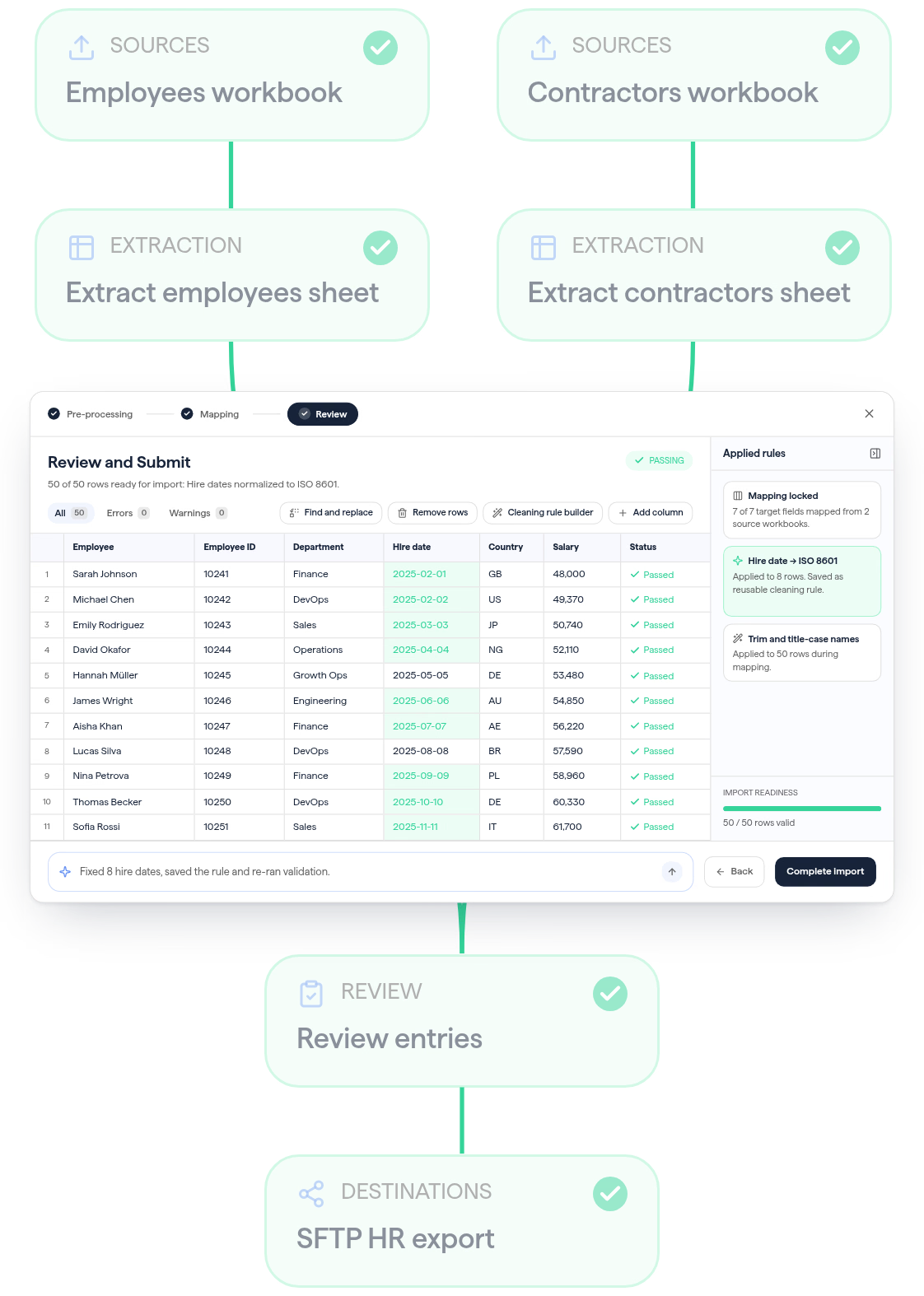
A spreadsheet-like interface for fast handling and approval
Rules you set once run on every file that arrives
AI that learns and adapts for every next task
Every change is logged for control and compliance
You decide how sensitive data is processed
Customer, supplier, and partner files arrive almost daily, in everything from messy CSVs and Excel sheets to PDFs, JSON, and XML. Tell Ingestro Data Flows what good data looks like for your system, and its AI agent builds a reusable workflow to map, validate, and clean every file. Your team only reviews exceptions before the approved data reaches its destination.
Your Target Data Model captures the fields, data types, and validation rules your system expects. Add where files come from and where processed data should go. Reuse the model across workflows, and publish changes when you’re ready.
Columns, required fields, rules, and validations in one model
Reusable connections to sources and destinations
Versioned changes with a full audit trail and logs
Start from a ready-made workflow or a blank canvas, then tell the agent what you need. It maps, validates, and cleans every file to match your model. Every step stays visible in the workflow builder, and you can adjust it yourself without writing code.
Ready-made or custom workflows
Visual, editable processing steps
Agent-assisted validations and transformations
Drawing on hundreds of thousands of mapping decisions, Ingestro’s AI models help the agent map, validate, and clean incoming files according to your rules. It flags issues for review, suggests fixes, and lets you reuse corrections on future runs.
Start runs manually, on a schedule, or from an API call
Review flagged issues and approve the suggested fixes
Your cleaning decisions apply again on the next run
Security and data protection teams need clear answers on data residency, access, and AI usage. Ingestro provides them for every data flow you run.




See how easily you can turn your customer files into usable data with Ingestro Data Flows.