Key takeaways
Long before a customer runs payroll in your software, your implementation team is typically deep in Excel workbooks – copying employee records into onboarding templates and checking opening balances against exports from the old system.
In Australia and New Zealand, you also need to account for superannuation, KiwiSaver, and a full set of country-specific tax and reporting requirements. Some of the information you need may never have been recorded in the customer’s previous HR or payroll system.
Even with an API integration in place, someone still has to collect those details, check and format them properly. It’s manual work that takes time away from payroll configuration, testing, and reconciliation.
In this Asia-Pacific (APAC) payroll data guide, we look at 12 fields worth checking when onboarding customers in Australia and New Zealand, along with some of the key data migration challenges payroll providers face.
A payroll onboarding workbook designed for Australian customers won’t necessarily work for a New Zealand implementation. Employee tax identifiers differ, as do retirement arrangements, reporting requirements, and how certain payroll values must be recorded.
The migration process, though, will feel familiar to consultants in either country. You have employee master data to collect, historical payroll data to carry forward, and opening balances to reconcile – all of which must fit the new system’s data model.
When entering another APAC market or onboarding a customer with teams across multiple countries, compare your onboarding templates against what the customer’s current system can export. That gap typically dictates how much manual cleanup lies ahead.
A single payroll implementation might involve an employee export from an HR system, a workbook containing leave balances, historical earnings from the previous payroll provider, and a separate list of bank details.
Each source may use different column names, employee identifiers, and date formats. Before importing the data, your consultants need to match employee records across different files.
Consider a customer with employees in Australia and New Zealand. Their initial export looks fairly complete. Every employee has a name and a pay rate, and most Australian employees have a tax file number (TFN).
A closer look reveals a few problems:
Some of these details might already exist in another workbook. Your consultant still has to find the relevant employee records, match them across files, and transfer the values into your onboarding template. For information the customer hasn’t supplied, another email or call may be necessary.
Finding these gaps early gives both sides more time to resolve them before payroll testing begins.
Most payroll implementation consultants know the field-mapping spreadsheet all too well. It outlines the fields the new payroll system needs, identifies mandatory fields, and specifies the expected data formats.
Dates might need to follow a day-month-year format, for instance, while pay frequency and leave type have to match predefined values.
Getting a completed template back from the customer is rarely the end of the spreadsheet work. A customer might have renamed a few columns, added their own worksheets, or used different terminology for earnings and deductions. Another may have copied values from a legacy payroll export without noticing that the two systems use different formats.
These details send consultants back into Excel to adjust formulas, split columns, merge worksheets, and manually copy and paste employee records.
An Australian payroll vendor we spoke with uses its field-mapping spreadsheet as the basis for a five-day onboarding workshop. Much of that time goes into mapping fields between the customer’s HR system and the payroll platform, followed by testing.
The vendor typically receives data through an API into a staging table where the payroll team inspects, accepts, or edits records. When a customer provides a flat file instead, someone has to convert it before sending it through the API.
The spreadsheet gives everyone a common reference for what the payroll system expects. The amount of work varies from customer to customer.
When reviewing a customer’s payroll export, pay particular attention to the following fields. Some fields rely on information employees provide directly, while others need extra care when transferring figures from the previous payroll system.
Although the examples below are specific to Australia and New Zealand, the same principle applies when developing onboarding templates for other APAC markets: establish where each required value comes from and how your team will check it before migration.
| Field | Country | What to look out for during onboarding |
|---|---|---|
| TFN | AU | The TFN declaration covers residency, the employee’s choice to claim the tax-free threshold, and any study or training loan. Without a TFN, you withhold at the no-TFN rate and don’t withhold an additional study loan amount. |
| Tax treatment code and employment basis | AU | Under Single Touch Payroll (STP), you report a six-character tax treatment code based on the employee’s declaration answers. You report employment basis separately and can record a change from casual to part-time employment without a new declaration. |
| Study loans | AU, NZ | In Australia, employees declare their study loans, and you withhold the additional amount alongside income tax. In New Zealand, an SL suffix on the tax code indicates a student loan. |
| IRD number | NZ | The IRD number consists of eight or nine digits. You file it with the employee’s tax code and KiwiSaver status before the first payday or with the filing that includes the first pay. |
| Tax code | NZ | Employees provide their tax code through the IR330 form. Without one, you deduct tax at the non-declaration rate. A change in tax code, such as from M to M SL when a student loan starts, requires a new form. |
| Super fund (USI) | AU | The unique superannuation identifier (USI) identifies the fund and product. It differs from the member account number. An incorrect USI can make it difficult for the fund to allocate contributions to the correct employee. |
| Stapled super | AU | Offer a fund choice first. If a new employee doesn’t choose a fund, request their stapled fund from the Australian Taxation Office (ATO) once employment begins. Use your default fund if the ATO doesn’t identify one. This step isn’t necessary for employees who started before November 1, 2021. |
| KiwiSaver | NZ | Include the employee’s KiwiSaver status in the new employee filing. Existing members provide a KS2 form with their deduction rate. Eligible new employees enter through automatic enrollment and can opt out. |
| BSB and account number | AU | Some HR systems don’t hold banking or super data outside custom fields, according to the Australian payroll vendor we spoke with. Without a valid BSB and account number, you can’t transfer wages to the employee’s bank account. |
| STP Phase 2 fields | AU | Under STP Phase 2, employers must report gross pay by category, including allowances, bonuses, overtime, and paid leave, along with income types and country codes. |
| Leave balances | AU, NZ | In Australia, check annual, personal, and long service leave, bearing in mind that long service leave rules vary by state and territory. In New Zealand, the Employment Leave Act 2026 replaces the Holidays Act 2003 on August 6, 2028. Standard-hours balances then convert to hours, and casual annual holiday entitlements are paid out. |
| YTD values | AU, NZ | A migration partway through the financial year requires you to carry forward the previous system’s totals. The financial year runs from July 1 to June 30 in Australia and from April 1 to March 31 in New Zealand. In Australia, report the previous BMS ID and payroll IDs when transferring YTD amounts to avoid duplicate income statements. |
Superannuation deserves particular attention in Australian payroll implementations following the introduction of Payday Super.
Since July 1, 2026, Australian employers must ensure super contributions reach an employee’s fund within seven business days of payday, along with the information the fund needs to match the contribution to the member.
The deadline extends to 20 business days for the first contribution for a new employee, the first contribution to a new fund for an existing employee, and the first contribution after an employee returns to work.
SuperStream also includes a member verification request. This enables employers to check whether a fund can match an employee before sending the first contribution.
For implementation teams, it’s another reason to check super fund details before handing the migrated data over for the first payroll run.
The country-specific information in this guide reflects the regulatory position as of November 2026. Consult the latest ATO and Inland Revenue guidance when configuring your payroll data validation rules for Australia and New Zealand.
The consequences of a missing field depend on when it comes to light. An incomplete tax declaration may prompt a call to the customer during onboarding. An incorrect super fund identifier, on the other hand, might go unnoticed until the fund returns a contribution.
| Data issue | Who may notice it first | Potential consequence |
|---|---|---|
| Missing or incorrect super fund details or USI (AU) | The payroll team, when the fund can’t match the contribution | The fund may return the contribution. If it misses the payment deadline, the employer may face the super guarantee charge. |
| Incomplete TFN declaration (AU) | The implementation consultant, before the first payroll run | No-TFN withholding applies, with no additional student loan amount withheld until the declaration arrives. |
| Missing IR330 or tax code (NZ) | The implementation consultant, before the first payroll run | The employer deducts tax at the non-declaration rate until the employee provides a tax code. |
| Missing BSB or account number (AU) | The implementation or payroll team, when preparing wage payments | The employer can’t transfer wages to the employee’s bank account until they have the correct details. |
| Mismatched YTD totals (AU) | The implementation team during reconciliation or the customer when reviewing the first STP report | Totals may differ from the previous system. An unreported transfer can also lead to duplicate income statements. |
Going back and forth with customers also takes time. The person completing the onboarding workbook might be an HR generalist or a small business owner. They may know their employees’ details inside out but be less familiar with your payroll software fields.
If they receive a workbook back with several errors and unclear instructions for fixing them, they’ll often turn to your implementation consultant for help.
Multiply those exchanges by the number of implementations a consultant handles, and you will see more easily where their time goes.
Payroll providers can simplify customer data imports in several ways. Some invest in API integrations with popular HR platforms. Others refine their onboarding workbooks or develop Excel macros for common data transformations.
Each approach addresses a different part of the migration.
| Approach | Where it helps | Where your team may still need to step in |
|---|---|---|
| API integration | Reduces manual file conversions and automates data transfer between systems. | The source system lacks certain fields, or its data needs additional cleaning and transformation. |
| Standardized payroll onboarding templates | Gives customers clear instructions on required fields, formats, and acceptable values. | Customers submit incomplete workbooks, change the template structure, or supply information across several files. |
| Excel formulas and macros | Speeds up familiar, repetitive spreadsheet transformations. | A customer introduces a different file structure, existing formulas need updating, or records require individual review. |
Take the Australian payroll vendor we spoke with. Even when employee records arrive through an API, the payroll team often has to add super and banking details manually because the source HR system doesn’t hold them.
A similar problem arises with spreadsheet templates. You could make the workbook instructions more detailed, but your customer might still send an export from their old system and expect your team to work with it.
The more time your consultants spend getting those files into a standard format, the less time they have for the payroll work that follows.
Once the customer’s data is in the new payroll system, your consultants can start comparing results.
During parallel payroll runs, they may check gross and net pay, earnings, deductions, retirement contributions, leave balances, and YTD figures against the previous system.
Before investigating the payroll configuration, a consultant may need to review the imported records to confirm the accuracy of the underlying employee data.
There are several possible explanations:
If several people have worked on different versions of the customer’s onboarding workbook, identifying the source of an error can take longer than correcting it.
Checking the data against your target model before migration helps catch these issues before they appear in a parallel payroll run. Your consultants can then focus on reconciliation and the discrepancies that call for their expertise.
Ingestro is an AI platform designed to automate data operations at scale.
For payroll implementation teams, the starting point is something you probably already have: a field-mapping spreadsheet or an onboarding template that defines the data your payroll system needs.
With Ingestro, you can get a complete workflow built in context around those requirements. AI agents propose mappings and transformation logic, your team reviews and approves them, and deterministic rules execute the approved logic.
Once you’ve worked out how to prepare data from a particular source, you can use the same approach in future implementations.
There’s no need to ask every customer to reconstruct their data in Excel before your consultants can start working with it.
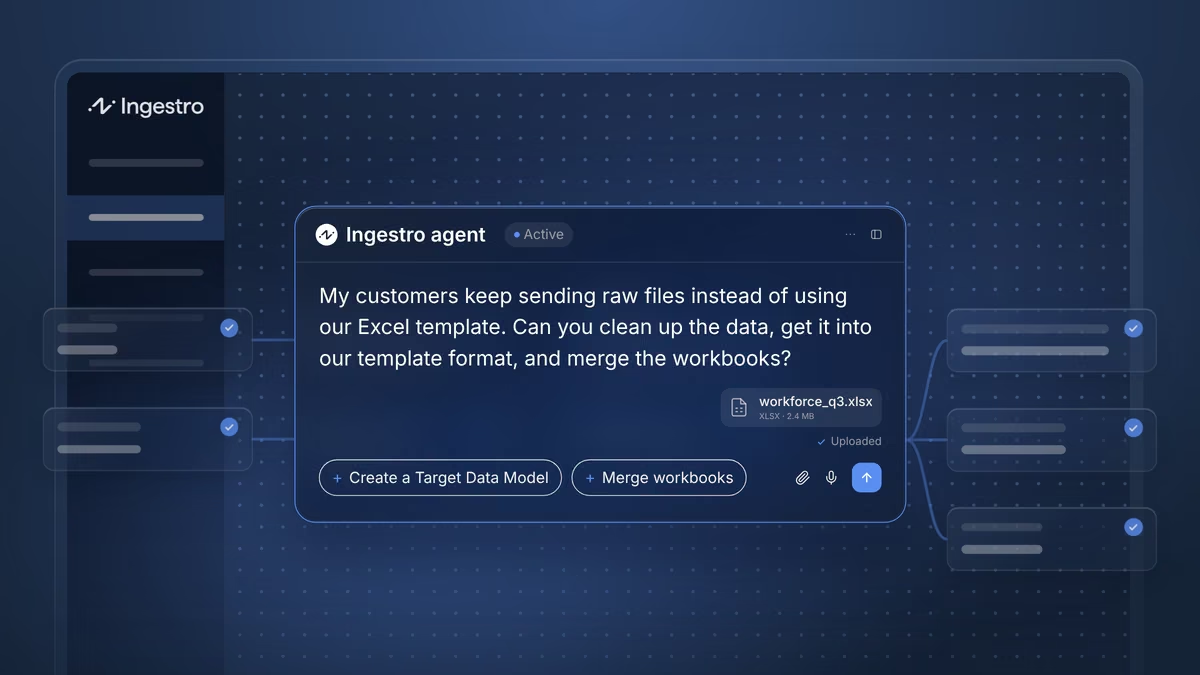
A customer might supply a workbook with employee master data on one worksheet and bank details on another. Their previous payroll provider might use a single column for an employee’s full name, while your target data model requires separate first and last-name fields.
AI agents can propose the transformations needed to consolidate these records and fit your target structure. Once your team approves the logic, you have a workflow you can reuse for similar files.
For consultants who regularly work with exports from the same HR and payroll systems, this can reduce much of the repetitive Excel work that goes into preparing customer data.
Column names and payroll terminology vary between systems. Your target data model might call a field Employee ID, for example, while a customer’s export uses Personnel Number.
Instead of mapping each column by hand, your consultants receive AI-powered mapping suggestions based on the incoming data and your target model. They can adjust and approve those suggestions before the workflow executes the mapping.
The next time you onboard a customer from the same payroll provider, your team can reuse the approved mapping and focus on any differences in the new export.
You know which fields your payroll software needs and which values it accepts. Those requirements form the basis of your validation rules in Ingestro.
For an Australian or New Zealand payroll implementation, they might cover:
Your team defines which checks to run and reviews the issues that surface. This gives consultants a clearer view of the records that need attention before they move into the payroll system.
Consider a workbook containing several hundred employee records. Only a handful have missing bank details, and a few others contain invalid employment types.
Instead of reviewing the entire spreadsheet again, your consultant can identify which records need attention and why.
For recurring issues such as inconsistent formatting, AI agents can suggest reusable data cleaning rules for your team to review and approve. Other issues, such as missing bank account details or an employee’s super fund choice, still need your customer’s input.
With a clearer distinction between the two, consultants can be more specific about what they need from customers and spend less time exchanging revised workbooks.
Your payroll software handles calculations, STP reporting, and super contributions, while your consultants focus on system configuration, resolving reconciliation discrepancies, and onboarding customers smoothly.
Yet file preparation can take up much of their time before they can turn to these tasks.
This is where AI workflows make a difference. By reusing approved mapping, cleaning, and validation logic, your team cuts out repetitive spreadsheet prep across implementations.
As the customer’s first payroll run approaches, your consultants have more time to focus on tasks that benefit from their expertise.
Pick a few customers you’ve onboarded over the past quarter. Go back through their original exports, onboarding workbooks, and implementation records.
Look at the files your consultants received, the corrections they made, and the information they had to request from customers.
A few questions can help you establish where there’s room for improvement:
If you keep coming across the same types of file preparation work, bring one of your payroll onboarding templates and a customer export to a demo with us.
We’ll use your example to show you how Ingestro can help prepare customer data for your payroll system and give your implementation team more time to get customers ready for their first payroll run.
See how easily you can turn your customer files into ready-to-use data with Ingestro’s AI agents.